With it, you can not only find your iPhoneopens in a new tab through iCloud but also secure your personal data remotely. This guide will walk you through how to use iCloud Find My iPhone, the steps to track your device, and what to do if your iPhone doesn’t show up online.
What Is Find My iPhone and How Does It Work Through iCloud?
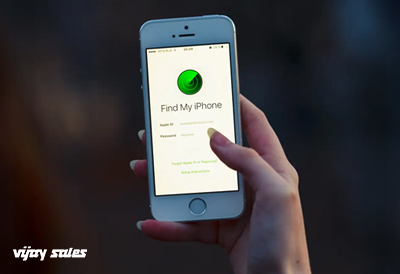
Find My iPhone iCloud is Apple’s built-in tracking system that allows you to track your iPhone using iCloud from any web browser. Once enabled, this feature uses your device’s GPS, Wi-Fi, or cellular connection to share its location in real-time. With this feature, you can:
The system works if your iPhone is online, but even offline, iCloud can show the last known location, giving you a starting point to begin your search.
How Do You Access Find My iPhone Through iCloud?
Accessing Find My Phone through iCloud is simple, and you don’t need your actual iPhone to do it. Here’s how:
Open any web browser on a computer, tablet, or even another phone.
Visit www.icloud.com/find.
Sign in using your Apple ID and password.
Select All Devices from the top menu.
Choose the iPhone you want to locate.
If your iPhone is online, you’ll see its current location. If it’s offline, iCloud displays the last recorded location and offers the option to receive an alert when the device reconnects. This makes finding an iPhone by iCloud an invaluable safety net for le users.
What Can You Do Once You Find Your iPhone on iCloud?
Once you find your iPhone through iCloud, Apple gives you several tools to act quickly:
Play Sound: If your iPhone is nearby but hidden under a pillow, in your car, or at work, you can make it play a loud sound—even if it’s on silent mode.
Activate iCloud Lost Mode iPhone: This is one of the most powerful features. Lost Mode locks your device with a passcode and displays a custom message, like “This iPhone is lost. Please call [your number].” Payment services like Apple Pay are disabled, so they cannot be misused.
Erase iPhone via iCloud: If you believe your iPhone is permanently lost or stolen, you can wipe all personal information remotely. This ensures your photos, messages, and sensitive data never fall into the wrong hands. However, once erased, you can no longer track your iPhone through iCloud.
Directions to the Device: When your phone is online, you can even get driving or walking directions to its exact location using the integrated Apple Maps feature.
These tools demonstrate why understanding how to use iCloud's Find My iPhone feature can make all the difference in protecting your device and personal data.
What If You Can’t Find Your iPhone through iCloud?
There may be times when you can’t track your iPhone using iCloud. Here are common reasons and what you can do:
If you can’t find my iPhone through iCloud, you should still secure your Apple ID by changing your password immediately and reporting the device as stolen to your carrier.
Conclusion:
The ability to find my iPhone through iCloud is one of Apple’s most valuable security features. Whether you misplaced your phone at home or lost it while travelling, iCloud gives you options to locate, lock, or erase your device remotely. By enabling Find My iPhone in your settings today, you’ll always have the tools to track your iPhone using iCloud if the unexpected happens.
Losing a phone is stressful, but with Find My iPhone iCloud, you don’t have to feel helpless. Instead, you can act quickly and keep your personal data safe.







.jpg)















.jpg)




.jpg)


.jpg)






_.jpg)


 0
0






